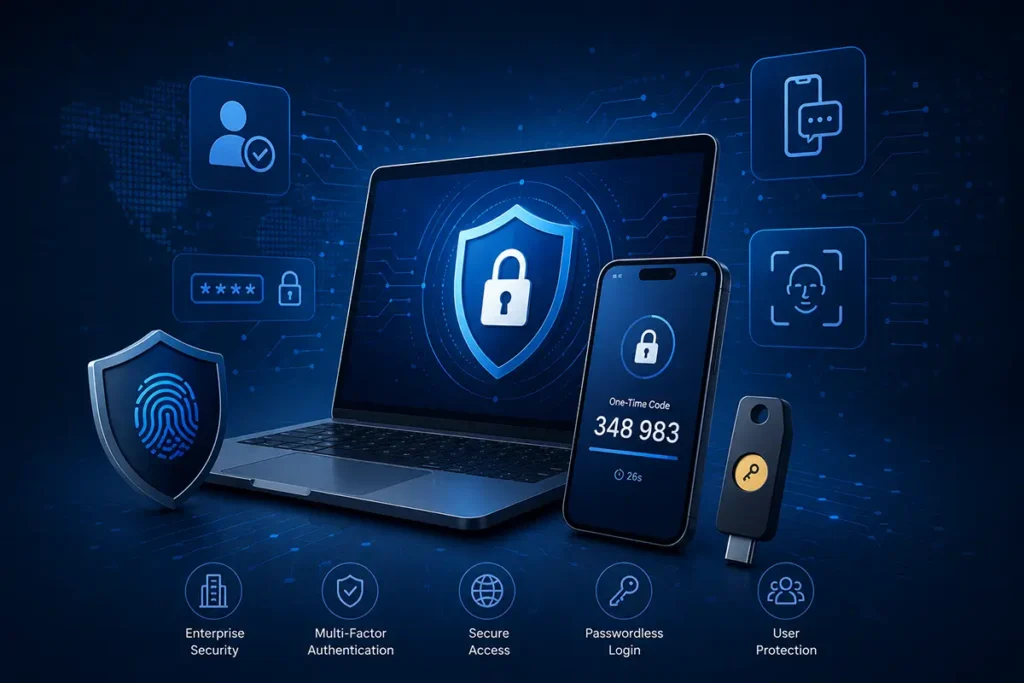
Not so long ago, corporate security in many companies was based on a simple rule: create a strong password and change it from time to time. For small organizations, this approach was often enough for years. But today the situation is very different. Businesses are actively moving to cloud services, employees work remotely, corporate systems are accessed from different devices and locations, and the number of account compromise attempts is growing almost every day.
Against this background, a password has gradually stopped being a reliable barrier. Even a very strong password does not guarantee security if a user accidentally enters it on a phishing website or uses the same combination across several services. Sometimes the problem is not even the technical complexity of the attack, but the human factor — fatigue, haste, or simple inattention.
That is why multi-factor authentication (MFA) is no longer seen as an “extra option for large corporations.” For many companies, it is becoming a basic standard for protecting access to email, GitLab, VPN, cloud platforms, and internal systems.
Smart Lab helps businesses implement MFA and 2FA solutions with consideration for the company’s real infrastructure, data type, and employees’ daily workflow. We do not try to make security unnecessarily complicated. On the contrary, our goal is to make protection work reliably without creating constant discomfort for the team.
What Is Multi-Factor Authentication?
Multi-Factor Authentication (MFA) is a method of verifying a user’s identity using several independent verification factors.
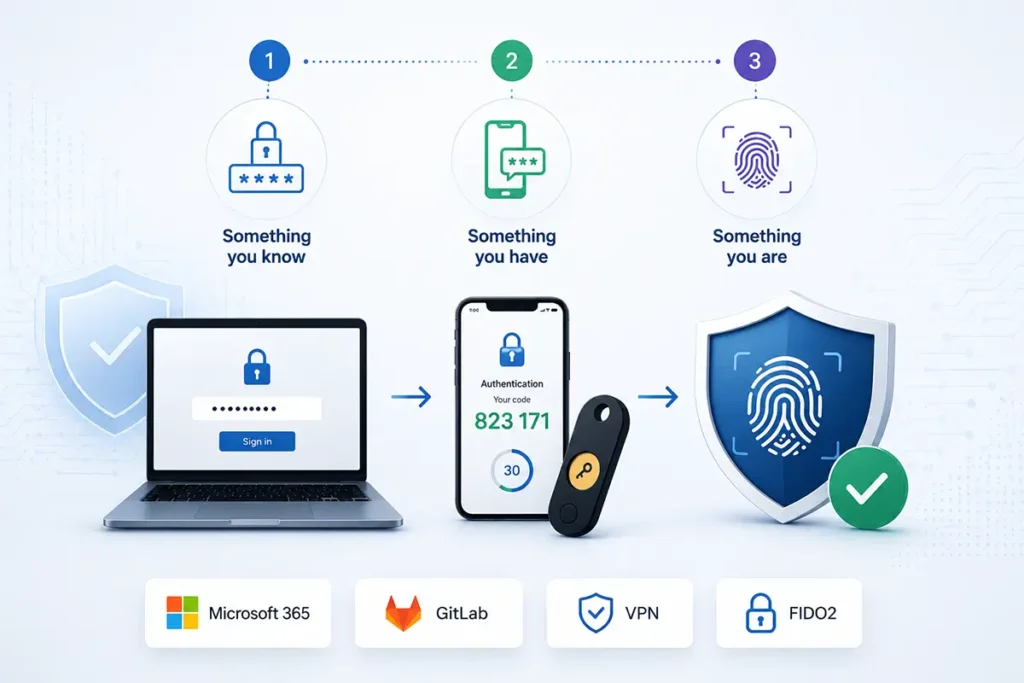
In a classic scenario, a person enters only a password. The problem is that a password is only one security factor — something the user knows. If this password becomes known to someone else, the system can no longer reliably distinguish the real user from an attacker.
That is why modern security systems use additional verification factors. For example, after entering a password, the user may receive a login confirmation request on a smartphone or use a hardware security key.
In practice, MFA may use different types of additional verification:
- one-time codes from a mobile app;
- push login confirmation;
- hardware FIDO2 tokens;
- smart cards;
- biometric verification;
- secure key storage devices.
For the user, this usually looks like one more small step during login. But for the company’s cybersecurity, the difference can be very significant.
Even if a password accidentally becomes known to third parties, an additional authentication factor makes unauthorized access much more difficult.
What Is Two-Factor Authentication (2FA)?
Two-factor authentication (2FA) is one of the most common types of MFA.
In this scenario, the system uses two factors to verify the user’s identity. Most often, this is a combination of a password and an additional confirmation through a mobile app or a token.
For example, the user:
- enters a password;
- receives a push request on a smartphone;
- or enters a one-time code;
- or confirms the login with a FIDO2 key.
In practice, the terms MFA and 2FA are very often used as synonyms, especially when it comes to protecting corporate accounts.
For a business, the exact wording is much less important than how reliably access to email, servers, GitLab, or internal company services is protected.
Why Passwords Are No Longer Enough
For many years, viruses or software vulnerabilities were considered the main security problem. But recently, a large share of attacks has started with the compromise of a user account.
The reason is quite simple: attacking a person is often easier than attacking complex infrastructure.
Phishing pages today can look very convincing. Sometimes even an experienced user may not immediately notice the difference between the real Microsoft 365 login page and a fake copy.
Password reuse is another common problem. An employee may use the same password combination for years across different services — from forums to corporate email. After another database leak, such accounts automatically become candidates for credential-stuffing checks.
In addition, many companies still have shared accounts, simple passwords, or access credentials that have not been changed for years. From the outside, it may look like everything “somehow works,” but in reality it creates serious risks for the business.
That is why multi-factor authentication is now one of the most effective ways to reduce the risk of corporate system compromise.
However, not every second factor provides the same level of protection against fake login pages. SMS codes and one-time passwords may still be captured together with the main password, so critical accounts should use phishing-resistant authentication based on FIDO2.
Where MFA Is Most Often Implemented
For many companies, the first step is protecting corporate email. This is logical, because email is often used to restore access to other services.
But in practice, modern businesses use many more critical systems that also require protection.
MFA is most often implemented for:
- Microsoft 365;
- Google Workspace;
- GitLab;
- VPN services;
- cloud infrastructure;
- CRM and ERP systems;
- admin panels;
- Windows and Linux servers;
- remote access;
- internal company portals.
Administrative accounts and DevOps environments usually require special attention. Even one compromised access point can create serious consequences for the entire infrastructure.
In practice, we often see a situation where a company invests in servers, backups, or network protection, while the administrator account is still protected by just one password.
Popular MFA Options
One-Time Codes
One of the most common options is the use of one-time codes from a mobile application.
After entering a password, the user opens Google Authenticator, Microsoft Authenticator, or another similar service and enters a short verification code.
This scenario works well for many companies because it is simple and relatively quick to implement.
Push Confirmation
In this case, the user receives a notification on a smartphone and simply confirms the authorization.
For employees, this often feels much more convenient than manually entering codes every time.
That is why push-based mechanisms are actively used in large companies where the balance between security and usability is important.
FIDO2 Tokens
Hardware security keys have become one of the most promising directions in MFA development in recent years.
The user physically confirms the authorization using a special token. This significantly reduces the risk of phishing attacks.
FIDO2 tokens are supported by many modern platforms:
- Microsoft 365;
- Google Workspace;
- GitLab;
- GitHub;
- VPN solutions;
- cloud services.
For DevOps teams, system administrators, or company management, this is often one of the safest authentication options.
In practice, this approach relies on dedicated hardware authenticators that generate and store cryptographic keys inside the device. Their form factors, differences, and business use cases are described in more detail on our page about hardware security tokens for electronic signatures and FIDO2.
Smart Cards and Qualified Signature Tokens
In the public sector and corporate environments, secure key storage devices and electronic signature cards are often used.
Such solutions can combine several functions at once:
- authentication;
- electronic signature;
- access control;
- protection of internal systems.
For many organizations, this helps build a more complete information security system.
In companies where employees sign contracts, financial records, reports, or other sensitive documents, access control should work together with secure QES key storage. This combined approach is an important part of protecting electronic document management and the corporate systems used to process documents.
MFA for GitLab and DevOps
Today, GitLab in many companies contains much more than just code. It may store CI/CD processes, infrastructure configurations, access tokens, and internal documentation.
That is why the compromise of a single account can sometimes create risks for the entire company infrastructure.
For GitLab, it is especially recommended to use:
- mandatory 2FA;
- hardware FIDO2 tokens;
- separate protection for administrators;
- enforced MFA policies;
- access control for CI/CD.
Smart Lab helps implement MFA both for GitLab.com and self-hosted GitLab installations.
Typical Mistakes When Implementing MFA
In practice, problems usually arise not because of the technology itself, but because of a rushed or purely formal implementation.
Sometimes a company enables MFA only for some accounts, leaving administrators or critical services unprotected.
Another common mistake is using SMS as the main protection mechanism. For basic scenarios, this may still be acceptable, but for critical systems, more reliable options are usually recommended today.
Many organizations also forget about backup access scenarios. An employee changes a phone or loses a token — and the company has to urgently restore access manually.
That is why effective MFA implementation is not only a technical setup, but also a well-thought-out organization of processes.
How Smart Lab Helps Implement MFA
Every company has its own infrastructure, set of services, and level of risk. That is why there is no universal solution that works equally well for everyone.
Our task is not simply to “turn on two-factor authentication,” but to build a system that will actually work in the daily life of the business.
Implementation usually includes:
- analysis of the current infrastructure;
- risk assessment;
- identification of critical systems;
- selection of the MFA type;
- integration with corporate services;
- configuration of FIDO2 tokens;
- creation of backup access scenarios;
- employee training.
We try to build protection in a way that remains clear and convenient for users. An overly complex security system is quickly bypassed by employees themselves, and that creates new risks.
Need to Implement MFA or 2FA in Your Company?
Smart Lab will help you select and configure multi-factor authentication for corporate email, GitLab, VPN, cloud services, and internal systems.
Discuss the SolutionConclusion
Multi-factor authentication has become one of the basic elements of modern cybersecurity. For businesses, this is no longer a question of whether it is “trendy” or not, but a practical matter of protecting corporate accounts and data.
Properly implemented MFA significantly reduces the risk of access compromise and helps protect email, GitLab, VPN, and internal company systems.
The Smart Lab team will help select and implement an MFA and 2FA solution that meets the real needs of your business — from basic two-factor authentication to modern FIDO2 tokens and comprehensive protection of corporate infrastructure.