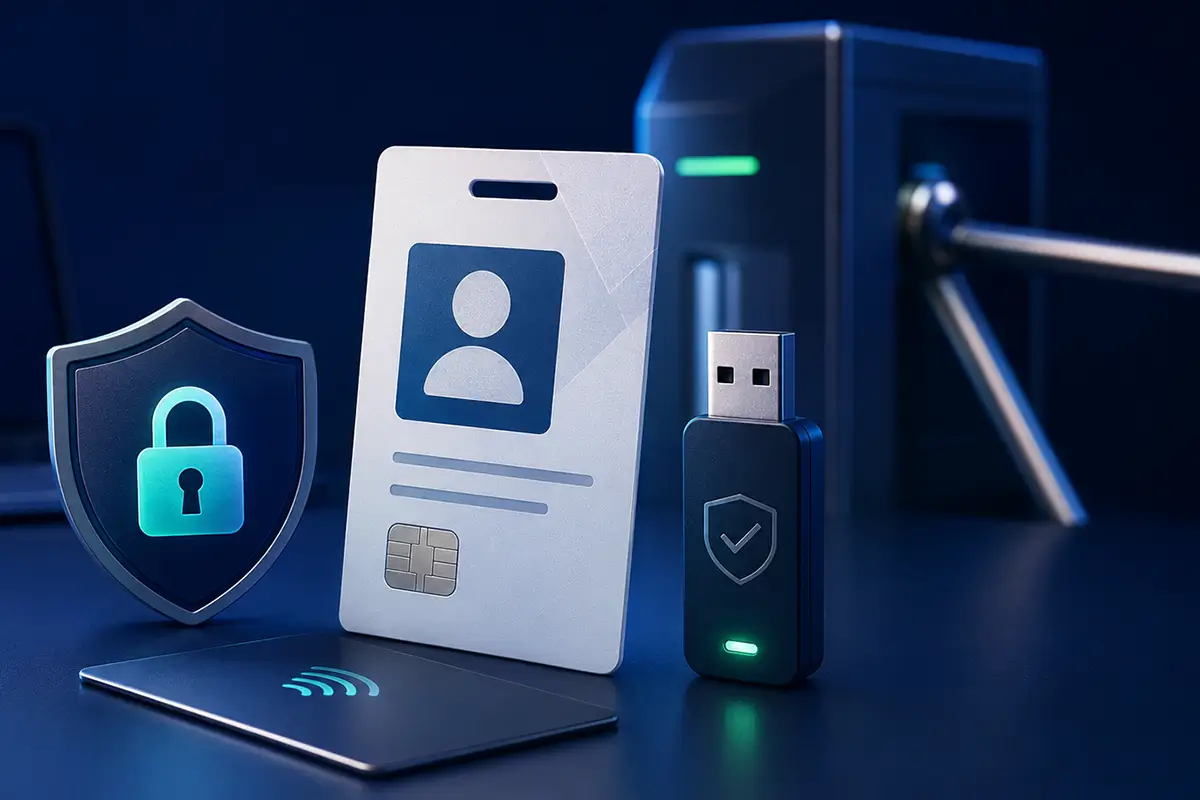
Electronic Employee ID: What It Is and How It Works
Most people are used to thinking of an employee ID as a plastic card containing a photograph, the name of the organization, and the employee’s position. It confirms that a person works for a particular institution, allows them to pass through a security checkpoint, and can be presented when performing official duties.
However, modern employees operate not only in physical premises. They access corporate information systems, work with electronic documents, use business email, VPN connections, cloud services, and internal portals. In each of these environments, their identity must be verified reliably.
This is why the traditional employee ID is gradually becoming a comprehensive digital security tool. An electronic employee ID can serve simultaneously as an employee identifier, an access card, a carrier for electronic signature keys, and a secure authentication device.
For public authorities, enterprises, banks, healthcare institutions, and organizations that work with confidential information, this is not merely a matter of convenience. It is a way to control access, protect corporate data, and establish exactly who performed a particular action in an information system.
What Is an Electronic Employee ID?
An electronic employee ID is a personalized electronic identification tool that contains information about its holder and can be used to verify the employee’s identity in both physical and digital environments.
Externally, it may look like an ordinary plastic ID card with a photograph. Inside, however, it contains an electronic component such as a smart chip or contactless module. In other implementations, the functions of an employee ID may be provided by a separate secure hardware token.
Depending on the organization’s requirements, an electronic employee ID can combine several functions:
- visual identification of the employee;
- physical access control;
- authentication in corporate information systems;
- secure storage of electronic signature private keys;
- creation of qualified electronic signatures;
- multi-factor or passwordless authentication;
- logging of employee actions in internal systems.
This means that an electronic employee ID is not simply a digital version of a plastic card. It becomes the employee’s personal key to the organization’s physical and digital resources.
Why a Traditional Employee ID Is No Longer Enough
Until relatively recently, many organizations could rely on a simple plastic access card. It opened the office door or allowed an employee to pass through a turnstile, while most work was performed inside the local network.
Today, employees may work from different offices, connect to systems remotely, approve documents online, and use dozens of digital services. A traditional employee ID can confirm identity only visually. It cannot prove who actually logged into an account, signed a document, or accessed protected information.
A password does not solve this problem completely either. It can be forgotten, shared with another person, intercepted through phishing, or reused across several services.
An electronic employee ID links access to a specific physical device and its registered holder. To perform a protected operation, knowing a password is not enough. The employee must possess the personal identification device and, in many cases, enter a PIN or provide another form of confirmation.
If the device is lost or the employee leaves the organization, the associated access rights can be revoked centrally. This is significantly more reliable than changing passwords separately in numerous systems.
From a Plastic Card to a Digital Identity
The employee ID has gradually evolved from a document used for visual inspection into a secure access tool for the organization’s physical and digital infrastructure.
Paper ID
Photograph, signature, stamp, and visual verification.
Plastic Card
A more convenient format that can also function as an access pass.
Smart Card
An electronic chip containing certificates and employee data.
Electronic Signature Carrier
Secure storage of private keys and electronic document signing.
MFA and FIDO2
Phishing-resistant and, where required, passwordless authentication.
Unified Digital ID
One centrally managed identity for multiple organizational systems.
The development of employee identification systems has been gradual. Initially, an employee ID was a paper document containing a photograph and an official stamp. It was later replaced by plastic cards that were more convenient and could also serve as access passes.
The next stage was the introduction of smart cards with electronic chips. These cards made it possible to store employee data, digital certificates, and cryptographic keys. At the same time, secure USB tokens became widely used for electronic signatures.
Today, these functions are supplemented by multi-factor authentication and passwordless access based on standards such as FIDO2. As a result, one personal device can provide physical access, authentication in corporate systems, and confirmation of legally significant electronic operations.
What Can an Electronic Employee ID Do?
The exact set of functions depends on the type of device, the software used, and the organization’s information infrastructure. Most electronic employee ID systems support several common use cases.
Employee Identification
Verification of the employee’s identity, position, department, ID validity period, and affiliation with the organization.
Physical Access
Access through turnstiles, opening secured doors, and restricting entry to particular rooms or protected areas.
System Authentication
Secure access to the corporate network, VPN, internal portals, cloud services, and document management systems.
Electronic Signatures
Secure storage of private keys and electronic signing of official documents and business transactions.
Multi-Factor Security
Combining a physical device with a PIN or another factor to provide stronger identity verification.
Passwordless Access
Phishing-resistant FIDO2 authentication without transmitting a traditional password to a server or third-party website.
Employee Identification
The ID contains personal information about its holder and confirms their affiliation with the organization. It may include a photograph, full name, position, department, validity period, and unique identification number.
Unlike a conventional plastic card, its electronic component allows the organization to verify the validity of the ID through an information system rather than relying exclusively on visual inspection.
Physical Access Control
An electronic employee ID can be used to pass through turnstiles, open secured doors, or enter restricted areas.
Access rights are assigned according to the employee’s position and responsibilities. For example, an employee may have access to common office areas but not to a server room, archive, or room containing restricted documents.
If the employee changes position or leaves the organization, their permissions can be updated or revoked without replacing mechanical locks or collecting multiple physical keys.
Access to Information Systems
An employee can use an electronic ID to authenticate in the corporate network, an electronic document management system, an internal portal, a VPN, a cloud service, or another protected resource.
In this scenario, the system verifies not only the username and password but also the presence of the registered personal device. This reduces the risk of unauthorized access even if the employee’s password has been compromised.
Electronic Signature Operations
If the device supports the required cryptographic functions, it can securely store the employee’s qualified electronic signature private keys.
The employee may then use it to:
- sign official documents;
- approve orders and contracts;
- work with electronic document management systems;
- submit reports electronically;
- interact with government digital services;
- confirm completed operations.
The private key remains inside the protected memory of the device and should not be copied to the employee’s computer.
Multi-Factor Authentication
An electronic employee ID can serve as an additional authentication factor. To access a protected system, the employee must possess the physical device and enter a PIN or complete another required verification step.
This approach is more secure than relying only on a password or a one-time code received by SMS.
Passwordless Authentication
Modern hardware security keys that support FIDO2 allow organizations to implement authentication without traditional passwords. Authentication is performed using a cryptographic key pair linked to a specific service.
This makes the method resistant to most phishing attacks. A fraudulent website cannot reuse authentication credentials created for the legitimate corporate resource.
Where Electronic Employee IDs Are Used
These solutions provide the greatest value to organizations with large workforces, distributed structures, or strict information security requirements.
Government and Local Authorities
An electronic employee ID can combine confirmation of official status, physical access, work with government registers, and the use of qualified electronic signatures.
Critical Infrastructure
A personal digital identifier can control access to industrial systems, server rooms, control centers, and administrative interfaces.
Banks and Financial Institutions
The identification device helps establish who initiated, approved, or signed a transaction and reduces the risk of another person using an employee’s account.
Healthcare Institutions
The solution can be used for access to medical information systems, electronic patient records, document management platforms, and protected areas.
Large Enterprises
Combining several access functions in one device simplifies everyday work and reduces the administrative burden on the IT department.
Distributed Organizations
Electronic identification helps control remote employee access to VPN connections, cloud applications, and corporate resources.
What Technologies Can Be Used?
An electronic employee ID is not one universal product. It is a comprehensive solution that can be built using different technologies.
| Technology | Primary Purpose | Key Characteristics |
|---|---|---|
| Barcode or QR Code | Visual or automated verification | A simple solution, but with limited security capabilities. |
| RFID | Physical access control | Convenient contactless reading at turnstiles and access points. |
| NFC | Contactless identification | Can interact with compatible mobile and stationary devices. |
| Smart Card | Identification, certificates, electronic signatures | Combines a visible employee ID with electronic functions. |
| Secure USB Token | Electronic signatures, authentication, key storage | Suitable for both office-based and remote work. |
| FIDO2 Security Key | Phishing-resistant access and MFA | Supports passwordless authentication. |
When choosing a solution, organizations should not focus only on the external form of the device. It is important to determine which systems it must support, which cryptographic algorithms it uses, where private keys are stored, and how the device can be blocked or reissued.
Comparison of Employee ID Formats
| Capability | Plastic ID Card | Smart Card | USB Token | FIDO2 Key |
|---|---|---|---|---|
| Visual identification | Yes | Yes | No | No |
| Physical access control | Possible | Yes | Usually no | Usually no |
| Certificate storage | No | Yes | Yes | Depends on the model |
| Qualified electronic signature | No | Yes | Yes | Not its primary function |
| Multi-factor authentication | No | Possible | Possible | Yes |
| Passwordless authentication | No | Depends on implementation | Depends on the model | Yes |
| Secure private key storage | No | Yes | Yes | Yes |
| Convenience for remote work | Low | Medium | High | High |
No single format is ideal for every organization and every use case. A smart card may be the most convenient option where visual identification and turnstile access are important. A USB token is often more practical for employees who use qualified electronic signatures on different computers. FIDO2 is particularly suitable for protecting cloud accounts and implementing passwordless access.
In some projects, the most effective approach is to combine several technologies.
What Risks Can an Electronic Employee ID Reduce?
Introducing electronic identification does not eliminate every security threat automatically. However, it can significantly reduce several common risks.
Use of Another Employee’s Account
A registered personal hardware device makes it more difficult to transfer access to another person and improves the reliability of identity verification.
Phishing and Password Theft
With MFA, a stolen password alone is not enough. FIDO2 also prevents authentication credentials from being reused on a fraudulent website.
Delayed Access Revocation
When an employee leaves the organization, the ID, certificates, and associated permissions can be revoked centrally.
Counterfeit Employee IDs
Electronic verification makes it possible to determine whether an ID was issued by the organization and whether it remains valid.
Lack of Action Tracking
Integration with corporate systems helps record who logged in, signed a document, approved an operation, or accessed protected information.
Excessive Permissions
Centralized access management allows the organization to provide employees only with the permissions required for their duties.
How Is an Electronic Employee ID System Implemented?
The transition to electronic employee IDs should not begin with purchasing cards or tokens. The organization must first determine which problems the system is expected to solve.
A modern employee ID system can combine physical access control, electronic signatures, MFA, and passwordless authentication within a single identity framework.
Analyze the Existing Infrastructure
The organization identifies which systems employees use, how they currently authenticate, where electronic signatures are applied, and how physical access is managed.
This stage may also reveal outdated accounts, duplicated access devices, and processes that are difficult to monitor.
Define the Requirements
The organization must determine whether the ID should only confirm identity or also open turnstiles, store electronic signature keys, provide VPN access, support MFA or FIDO2, and integrate with specific corporate systems.
Select the Technology and Device
Once the requirements have been defined, the organization can compare smart cards, secure USB tokens, FIDO2 security keys, or combined devices.
Compatibility with operating systems, electronic document management platforms, directory services, and physical access systems must also be tested.
Integrate the Device with Corporate Systems
The device is connected to directory services, identity and access management systems, electronic document management platforms, physical access control systems, and other corporate resources.
Issue and Personalize the IDs
Each ID is associated with a particular employee. Where required, certificates, cryptographic keys, and employee information are written to the device.
The issuance process should include identity verification and formal registration of the device.
Run a Pilot Project
Before organization-wide deployment, the solution should be tested within one department or a limited group of users.
This helps verify compatibility, identify usability problems, and improve internal procedures.
Train Employees
Users should understand how to store the device, protect the PIN, report a lost ID, and respond to suspected security incidents.
Manage the Device Lifecycle
The organization defines procedures for reissuing IDs, renewing certificates, changing permissions, blocking lost devices, and revoking access after an employee leaves.
Why Qualified Electronic Signatures Require a Secure Device
An electronic signature private key confirms the actions and intent of a specific person. If an unauthorized party gains access to the key and its authentication data, they may attempt to sign documents on behalf of the legitimate owner.
For this reason, private keys should not be stored in ordinary computer folders, on unsecured flash drives, or transferred freely between devices.
A secure hardware carrier is designed so that cryptographic operations are performed inside the device. The private key does not leave the protected memory in an unencrypted form.
This is particularly important for employees who:
- sign financial documents;
- work with government registers;
- approve contracts;
- manage the access rights of other users;
- have administrative privileges;
- work with restricted or confidential information.
Using a secure device does not eliminate the need to protect the PIN and the hardware itself. However, it makes copying or secretly extracting the private key significantly more difficult.
Where an electronic signature must be integrated into a personalized card format, the organization may use an electronic signature card.
How Smart Lab Helps Implement Electronic Employee IDs
Implementing an electronic employee ID system requires coordination between several components: the hardware device, electronic signatures, authentication systems, corporate infrastructure, and internal procedures.
Smart Lab helps organizations select a solution based on real operational scenarios rather than relying only on formal technical specifications.
Depending on the project, the implementation may include:
- selection of secure hardware devices for qualified electronic signatures;
- deployment of smart cards;
- implementation of FIDO2 hardware security keys;
- configuration of multi-factor authentication;
- integration with electronic document management systems;
- secure access to corporate resources;
- consulting on certificate and access management;
- compatibility testing with the existing infrastructure.
This approach ensures that the employee ID does not become another isolated device. Instead, it becomes an integrated part of the organization’s cybersecurity architecture.
Are You Moving to a Modern Electronic Employee ID System?
Smart Lab specialists will analyze your existing infrastructure, recommend an appropriate device format, and develop a solution that supports physical access, qualified electronic signatures, MFA, and passwordless authentication.
Frequently Asked Questions
What is an electronic employee ID?
It is a personal identification device that can be used not only for visual identification but also for physical access, authentication in information systems, electronic signatures, and multi-factor authentication.
How is an electronic employee ID different from a plastic card?
A traditional plastic card is mainly used for visual identification. An electronic employee ID contains a chip or another protected component that allows it to be verified in digital systems and used for cryptographic operations.
What does EMP ID mean?
EMP ID usually means employee ID — a unique identifier assigned to an employee by an organization. In modern systems, it can refer not only to an identification number, but also to a physical or electronic credential used for access and authentication.
Can an electronic employee ID contain a qualified electronic signature?
Yes, provided that a compatible smart card or secure hardware token is used. The exact functionality depends on the device, its software, and the systems with which the organization works.
Can one card function as both an employee ID and an access card?
Yes. A smart card can contain a photograph and employee information while also being used for physical access control. With an appropriate implementation, it can support additional electronic functions as well.
What should be done if an employee ID is lost?
The loss should be reported immediately to the responsible department. The ID, associated certificates, and access rights should be blocked, after which a replacement device can be issued.
Is an Internet connection required to use the ID?
Not always. A local physical access system or workstation login can operate without a permanent Internet connection. However, certificate validation, cloud services, and remote corporate resources may require connectivity.
Can an electronic employee ID be used for remote work?
Yes. Secure USB tokens, smart cards, and FIDO2 keys can be used to access VPN connections, corporate portals, cloud applications, and electronic document management systems.
Does an electronic employee ID protect against phishing?
The level of protection depends on the technology. Using a hardware device as a second authentication factor significantly improves security. FIDO2 provides particularly strong phishing resistance because its cryptographic credentials are linked to the legitimate service.
How should an organization choose between a smart card, USB token, and FIDO2 key?
The choice depends on the required functions. A smart card is convenient for visual identification and physical access. A USB token is practical for qualified electronic signatures on different computers. A FIDO2 key is designed for phishing-resistant and passwordless authentication. Complex projects may use these technologies together.
Conclusion
An electronic employee ID is much more than a modern version of a plastic access card. It can combine confirmation of employment status, physical access, electronic signatures, and secure authentication in corporate systems.
For an organization, it provides a way to manage employee permissions centrally, block lost devices quickly, reduce dependence on passwords, and maintain more accurate records of actions performed in the digital environment.
However, the effectiveness of the solution depends on more than the selected card or token. The organization must consider compatibility with its existing infrastructure, issuance and revocation procedures, protection of cryptographic keys, and employee training.
When implemented correctly, an electronic employee ID becomes a unified secure identifier that accompanies the employee throughout the organization’s physical and digital environment.