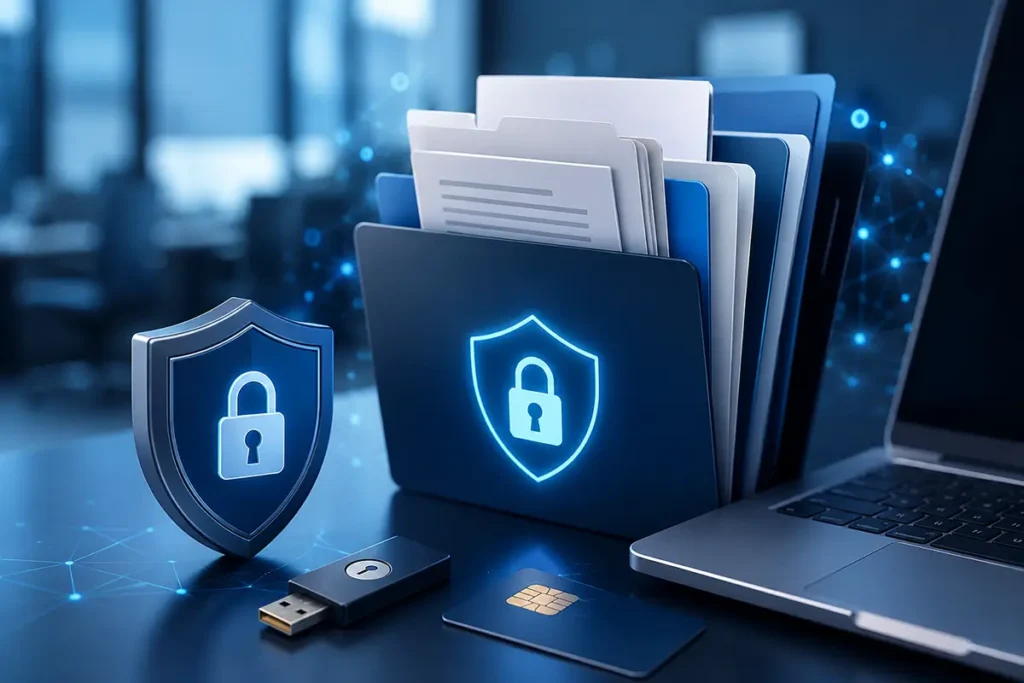
Your documents have gone digital. Has access to them become more secure?
A decade ago, contracts, financial records, and sensitive business documents were stored in filing cabinets, archives, and safes.
Today, most organizations rely on electronic document management systems, digital signatures, cloud platforms, and online collaboration tools.
Document workflows have become faster.
But have they become safer?
Many businesses invest in servers, backups, antivirus software, and network protection. Yet one important question is often overlooked:
Who actually controls the keys that provide access to your documents?
If digital signature keys are stored as files, if corporate systems rely solely on passwords, or if SMS codes are still used as a primary security mechanism, the risk has not disappeared.
It has simply changed its form.
Why Electronic Document Systems Have Become a Target
Cybercriminals rarely need physical access to your infrastructure.
In many cases, all they need is access to a single account.
One employee.
One password.
One digital signature key.
Modern cyberattacks often begin with compromised identities rather than compromised servers.
Phishing emails, fake login pages, stolen passwords, and social engineering attacks are all designed to achieve the same goal: gain access to a trusted user’s identity.
Once successful, attackers may:
- Access confidential documents;
- Modify or delete records;
- Sign documents on behalf of employees;
- Gain entry to other corporate systems;
- Expand their access across the organization.
The issue is not always human error.
Often, the real problem is a system architecture that allows one mistake to become a major incident.
Passwords and File-Based Keys Are Technical Debt
Passwords remain the most common authentication method.
The same can be said about digital signature keys stored as files on workstations.
At first glance, these solutions appear simple and inexpensive.
Over time, however, they accumulate risk.
Employees change roles.
Devices are replaced.
Files are copied.
Passwords are reused or stored in browsers.
Each shortcut creates another potential point of compromise.
For a small business, these risks may remain invisible for years.
For organizations that handle contracts, financial data, personal information, or regulated processes, the consequences can be far more serious.
Particular attention should be paid to the way signing keys are created and stored. A copied or stolen file-based key may be used without the owner’s knowledge, while hardware-based storage provides a stronger foundation for a qualified electronic signature for business.
A Better Approach: Protect the Architecture, Not the User
Traditional security programs often focus on user awareness.
Conduct training.
Send reminders.
Require stronger passwords.
These measures are valuable.
But they do not solve the underlying problem.
A modern security strategy aims to reduce dependency on human behavior by building systems that remain secure even when mistakes happen.
This principle is at the core of modern authentication standards such as FIDO2.
Access to document approval systems, cloud storage, and corporate portals should not rely on a password alone. Combining independent verification factors significantly reduces the risk of unauthorized access, which is why organizations should also plan a broader multi-factor authentication strategy for business.
What Is FIDO2?
FIDO2 is an open international authentication standard designed to replace passwords with cryptographic credentials.
It is supported by major technology companies, including Microsoft, Google, Apple, Amazon, PayPal, Visa, and Mastercard.
Unlike traditional passwords:
- Private keys are never transmitted over the network;
- Credentials cannot be reused on phishing websites;
- Authentication secrets are not stored on servers;
- Hardware-based credentials cannot be copied like password files.
As a result, FIDO2 significantly reduces the risk of account compromise while improving user experience.
For many organizations, it represents the next step toward phishing-resistant authentication.
This matters because passwords and one-time codes may still be entered on a fraudulent login page. For systems that process sensitive documents, FIDO2 should therefore be considered as part of dedicated phishing protection for business.
Securing Digital Signatures
Many businesses already use digital signatures.
However, using a digital signature does not automatically mean the signing process is secure.
The critical factor is how the signing key is protected.
If a private key exists as a file, it can potentially be copied.
If the key is stored inside a secure hardware device, the situation changes dramatically.
Modern smart cards and hardware authenticators can:
- Prevent key duplication;
- Support multi-factor authentication;
- Verify user identity through PINs or biometrics;
- Meet modern security and regulatory requirements.
The objective is simple: ensure that only the authorized individual can use the credential.
For this purpose, organizations use secure hardware devices that generate and store cryptographic keys internally. These devices may support both electronic signing and protected access to corporate systems. Their form factors and use cases are described on our page about hardware security tokens for electronic signatures and FIDO2 authentication.
How Smart Lab Can Help
Smart Lab helps organizations improve the security of their electronic document management processes through modern authentication and identity protection technologies.
Our services may include:
- Assessment of current access controls;
- Digital signature security reviews;
- FIDO2 implementation projects;
- Protection of corporate portals and internal systems;
- Integration with Microsoft Entra ID;
- Smart card and hardware authenticator deployment;
- Authentication infrastructure design;
- Consulting on PSD2, NIS2, and DORA requirements.
Every organization is different, which is why security architecture should reflect actual business risks rather than generic compliance checklists.
Where Should You Start?
Most organizations do not need a complete infrastructure overhaul.
A phased approach usually delivers the best results.
Start with:
- Executive accounts;
- Administrators;
- Finance and accounting teams;
- Employees who manage sensitive documents.
Once the highest-risk areas are protected, the same approach can be gradually expanded across the company.
This minimizes disruption while improving overall security.
Don’t Focus Only on Documents. Focus on the Keys.
One of the fundamental principles of modern cryptography states:
Only the keys should be secret.
This is why electronic document security begins long before a document is created or signed.
It starts with identity.
Who can access the system?
Who controls the credentials?
Who is authorized to act on behalf of the organization?
Answering these questions is often the most important step toward building a secure digital document environment.
Frequently Asked Questions
Is a digital signature alone enough to protect electronic document workflows?
A digital signature confirms authorship and integrity, but security also depends on how signing keys are stored, who can access them, and how users are authenticated before signing or approving documents.
Why are hardware authenticators safer than file-based keys?
File-based keys can be copied, transferred, or stolen. Hardware authenticators and smart cards store private keys inside a protected device, preventing unauthorized duplication and significantly reducing risk.
Can FIDO2 be used together with digital signatures?
Yes. FIDO2 can secure access to document management systems, cloud services, and corporate portals, while digital signatures remain responsible for legally binding document approval. Together they create a stronger security model.
Which organizations benefit most from secure document management?
Any organization that handles contracts, financial records, personal data, healthcare information, or business-critical documentation can benefit from stronger authentication and identity protection measures.
What is the first step toward improving security?
Start with an assessment of how digital signatures are managed, where keys are stored, how access is granted, and whether multi-factor authentication is already in place.
Is Your Electronic Document Workflow Truly Secure?
If your organization relies on electronic signatures, cloud document platforms, or digital approval processes, now may be the right time to review how access is protected.
Smart Lab can help evaluate current risks and recommend practical solutions based on modern authentication and identity security standards.