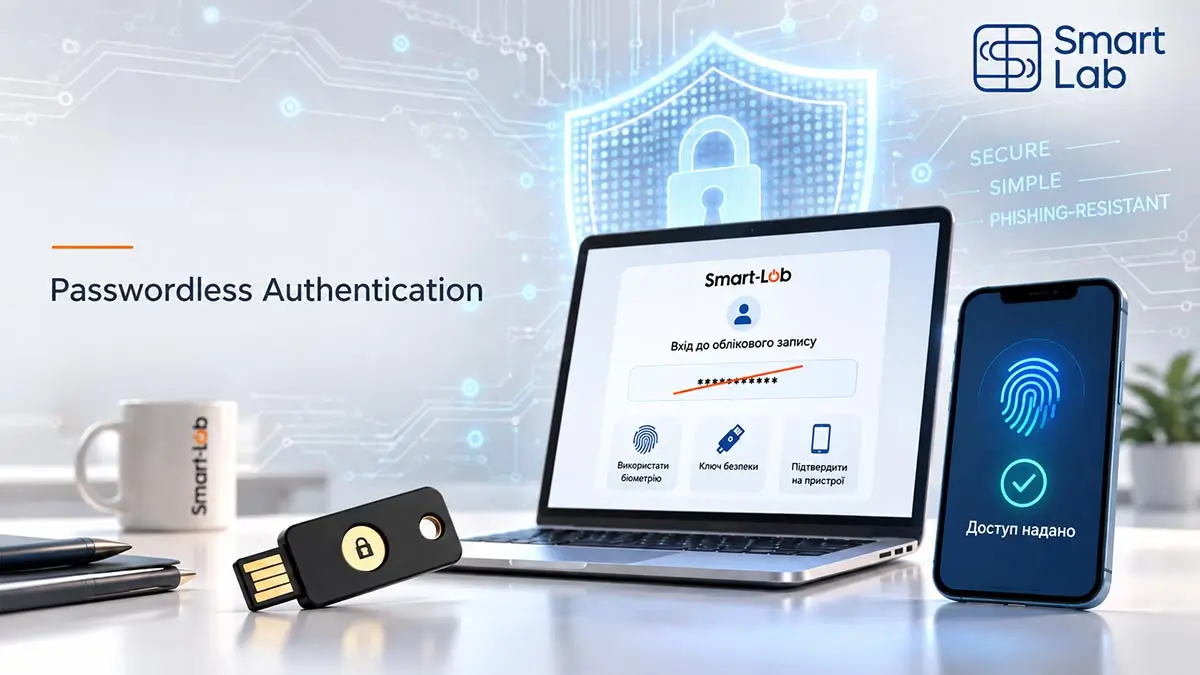
Passwordless Authentication: Why Businesses Are Moving Away from Passwords
For decades, passwords have been the foundation of digital security. We became accustomed to the idea that the longer and more complex a password is, the better an account is protected. Then came SMS codes, one-time passwords from authenticator apps, push confirmations, and other additional authentication factors.
These mechanisms genuinely improved security. But they left one fundamental problem unresolved: the password never disappeared.
It can still be stolen through a phishing page, reused after a breach of another service, accidentally disclosed, or simply forgotten. That is why the next stage of corporate authentication is not about creating even more complex passwords, but gradually removing them from the login process altogether.
This approach is known as Passwordless Authentication.
No Shared Secret
The service stores a public key, while the private key remains under the user’s control or securely inside a protected hardware device.
Phishing Resistance
FIDO2 and Passkeys cryptographically bind credentials to the legitimate service, preventing a fake login page from obtaining a reusable secret.
Simpler Authentication
Instead of remembering complex passwords and entering one-time codes, users can authenticate with a PIN, biometric verification, or a hardware security key.
What Is Passwordless Authentication?
Passwordless authentication is a method of verifying a user’s identity without requiring them to enter a traditional password that must be checked by the information system.
Instead, authentication may rely on:
- a hardware FIDO2 Security Key;
- a smart card;
- a Passkey stored on a trusted device;
- a PIN used to unlock a hardware authenticator;
- biometric verification;
- or a combination of several of these mechanisms.
At first glance, this may raise an obvious question: if the user still enters a PIN, isn’t that simply another password?
No.
A password is a secret submitted to an information system for verification. A hardware authenticator PIN works differently. It is used locally to authorize a cryptographic operation inside the protected device. The private key itself never leaves the authenticator.
As a result, an attacker cannot simply capture both the PIN and the cryptographic credential through a fake login form.
“Passkeys are a password replacement technology.”
— FIDO Alliance, Passkeys FAQ
Passwordless Does Not Mean “Authentication Without Verification”
The term can sometimes be misleading. Passwordless authentication does not eliminate identity verification. It eliminates the password as the mechanism used to perform that verification.
In the traditional model, the user effectively proves:
“I know a secret” — the password.
In a modern hardware-based model, the user may prove two things at once:
“I possess a trusted device” + “I know its PIN.”
This combines two independent authentication factors:
- possession factor — a smart card or hardware token;
- knowledge factor — a PIN.
In biometric scenarios, the second factor may instead be something inherent to the user, such as a fingerprint.
one smart card, one PIN, two authentication factors — without a password, SMS message, or one-time code.
How FIDO2, WebAuthn, and Passkeys Fit Together
FIDO2 standards play a central role in modern passwordless authentication.
FIDO2 combines WebAuthn with the CTAP protocol used for communication with authenticators. The entire model is based on public-key cryptography.
During registration, the authenticator generates a cryptographic key pair:
- the public key is provided to the service;
- the private key remains under the user’s control.
When the user needs to sign in, the server does not ask them to provide a secret. Instead, it sends a cryptographic challenge, and the authenticator signs that challenge using the private key.
There is no reusable password that can be stolen from a server database or entered into a phishing website.
A Passkey is a FIDO credential used for this type of authentication. Passkeys can either synchronize across a user’s trusted devices or remain bound to a specific device or hardware authenticator.
For enterprise environments, device-bound hardware Passkeys are especially interesting because the private credential remains inside a controlled hardware device.
The differences between software credentials and hardware-backed authentication are explained in more detail in our article Hardware Security Tokens for Electronic Signatures and FIDO2 Authentication.
How Corporate Authentication Has Evolved
Passwordless authentication did not appear as an isolated technology. It is the next step in the gradual transition from a single password toward cryptographic verification of digital identity.
Password
A shared secret that users must remember and submit to a service.
Password + SMS
A second factor reduces risk, but the verification code can still be intercepted or phished.
Password + TOTP
No dependence on the mobile network, but the one-time code can still be entered into a phishing website.
Password + FIDO2
A phishing-resistant second factor, while the password remains part of the authentication model.
Passkey
Cryptographic credentials can completely replace the traditional password.
Hardware Passwordless
The private key remains securely stored inside a hardware token or smart card.
Why Passwordless Authentication Is More Resistant to Phishing
Consider a typical phishing attack.
An employee receives an email containing a link to what appears to be a corporate service. The website looks almost identical to the legitimate one. The user enters their username and password.
If SMS or TOTP is enabled, the fake website may immediately request the one-time verification code as well.
The employee enters the code, and the attacker uses the captured credentials in real time to authenticate against the legitimate service.
This is why two-factor authentication does not automatically mean phishing-resistant authentication. SMS, TOTP, and some push mechanisms provide much better protection than a password alone, but users can still be persuaded to give the required information to a fraudulent system.
We discuss this problem in more detail in Phishing Protection for Business.
FIDO2 works differently.
Authentication credentials are cryptographically bound to the legitimate service. A fake website cannot simply obtain a universal secret from the user and reuse it against the real service.
“Phishing-resistant MFA is the standard all industry leaders should strive for.”
— CISA, More than a Password
Phishing Scenario: MFA Code vs FIDO2
The key difference is not the number of actions required from the user, but whether the authentication data can be reused by a fraudulent website.
Password + One-Time Code
The phishing page captures the submitted credentials.
The attacker can relay the code to the legitimate service in real time.
The user has unintentionally provided the attacker with everything required for authentication.
Passkey / FIDO2
There is no password or one-time shared secret that the user needs to submit.
The credential is bound to the legitimate domain and origin.
The private key is never disclosed to the fraudulent website.
What Is Wrong with “Password + SMS”?
SMS authentication was once an important step forward. Even if an attacker obtained the user’s password, that alone was no longer sufficient to access the account.
However, today’s enterprise infrastructure requires stronger protection.
The “password + SMS” model still depends on:
- a password that can be stolen;
- the SMS delivery channel;
- resistance to social engineering;
- the user’s ability to recognize a phishing page;
- mobile network availability;
- an additional manual action during every login.
TOTP applications eliminate some of these weaknesses, but a one-time code can still be entered into a fraudulent website by the user.
We examine this issue separately in Why SMS Codes Are No Longer Enough to Protect Business Accounts.
Passwordless authentication fundamentally changes the architecture:
Passwordless model: authenticator → local verification → cryptographic authentication.
Why Hardware Passkeys Are Especially Relevant for Business
For individual users, synchronized Passkeys are extremely convenient because credentials can be available across several trusted devices.
Enterprise environments often have a different requirement. The organization needs not only to protect the user, but also to control where authentication credentials are stored.
This is where hardware authenticators and smart cards become particularly valuable.
The private key:
- is generated inside the protected device;
- remains stored inside that device;
- cannot be exported as an ordinary file;
- is never transmitted to the server during authentication.
A hardware authenticator can therefore be issued to an employee much like a corporate badge, access card, or employee ID.
For the organization, this creates a clear credential lifecycle. The device is issued to an employee, registered with authorized services, used during employment, and revoked or returned when responsibilities change or employment ends.
This model fits naturally with the concept of an Electronic Employee ID, where one physical credential can become part of a broader corporate digital identity infrastructure.
One Device Instead of Multiple Authentication Methods
In many companies, access systems have evolved gradually over time.
Employees may use one password for their workstation, another for corporate email, and another for VPN access. GitLab may require TOTP, an internal portal may send SMS codes, while electronic signatures rely on a separate secure key carrier.
The result is a collection of disconnected security procedures.
Hardware-based digital identity allows organizations to approach the problem differently.
A single corporate smart card or hardware token can potentially support several functions:
- login to corporate systems;
- FIDO2 authentication;
- access to cloud services;
- VPN authentication;
- GitLab and other DevOps platforms;
- internal company portals;
- electronic signatures;
- digital employee identification.
There is no need to implement every scenario at once.
The important change is conceptual: authentication stops being a collection of unrelated passwords and gradually becomes part of a unified corporate identity infrastructure.
Passwordless GitLab as a Practical Use Case
GitLab provides a particularly useful example.
Source code repositories, CI/CD pipelines, deployment secrets, access tokens, configuration data, and administrator permissions make developer accounts attractive targets for attackers.
Traditionally, organizations strengthen GitLab authentication with 2FA: the user enters a password and then confirms the login with an additional factor.
The next step is to remove the password from the login process entirely.
GitLab supports Passkeys based on public-key cryptography. The private key remains under the user’s control, while local verification — such as a PIN or biometric check — authorizes its use. Hardware FIDO2 Security Keys and smart cards can also provide hardware-backed credentials.
The evolution from FIDO U2F through WebAuthn to modern Passkeys is described in detail in our article GitLab 2FA: How to Enable Two-Factor Authentication and Secure Your Account.
Passwordless authentication does not eliminate the need for broader security policies. Organizations must still define administrative access rules, backup authentication methods, authenticator registration procedures, and recovery processes for lost or damaged devices.
What Happens If an Employee Loses a Token or Smart Card?
This is one of the first practical questions organizations ask when considering hardware authentication.
Losing a device should not automatically mean compromising the account.
If the private credential can only be used after entering a PIN or completing local biometric verification, simply finding the physical device does not immediately give another person access to corporate systems.
However, the organization must still have a predefined recovery procedure covering:
- revocation or removal of the lost authenticator;
- registration of a replacement device;
- backup authentication mechanisms;
- identity verification during account recovery.
Account recovery is often the weakest point even in a technically strong authentication system.
If an attacker can bypass a well-protected FIDO2 credential simply by convincing the help desk to reset access during a phone call, much of the technological advantage is lost.
Passwordless Authentication should therefore be treated not as a single feature in an account settings page, but as part of a broader digital identity architecture.
Should a Business Remove Every Password Immediately?
No.
In most real-world environments, migration to passwordless authentication should be gradual.
The first step is to identify systems where account compromise would create the greatest business impact:
- administrator accounts;
- corporate email;
- GitLab and other DevOps platforms;
- VPN and remote access;
- cloud infrastructure;
- financial systems;
- internal portals containing sensitive information.
For corporate email, this transition can begin by deploying properly designed MFA for Email and gradually migrating high-risk accounts toward phishing-resistant authentication methods.
Audit Existing Access
Identify corporate services, authentication methods, administrator accounts, and systems where account compromise would have the greatest impact.
Protect High-Risk Users First
Prioritize administrators, DevOps teams, executives, finance departments, and employees who handle sensitive or privileged data.
Verify FIDO2 and Passkey Support
Determine which corporate platforms already support WebAuthn, FIDO2, and passwordless login, and which hardware authenticators are compatible with them.
Design Recovery Procedures
Plan for lost, damaged, or replaced devices, credential revocation, backup authenticators, and controlled identity verification during recovery.
Gradually Remove Passwords
Once compatibility and operational procedures have been validated, migrate from traditional MFA toward Passkeys and passwordless authentication where supported.
Smart Lab follows the same principle when implementing Multi-Factor Authentication (MFA) and Two-Factor Authentication (2FA) for Business: analyze the infrastructure and risks, identify critical systems, select suitable authentication methods, plan integration and recovery scenarios, and prepare employees for the new workflow.
From MFA to Passwordless
Multi-factor authentication is not disappearing.
What is changing is the way those authentication factors are implemented.
For many organizations, the first stage was:
Password.
Then:
Password + SMS or OTP.
Then:
Password + FIDO2.
The logical next step is:
FIDO2 authenticator + PIN or biometric verification — without a traditional password.
Passwordless Authentication is therefore not a competitor to MFA. It is an evolution of the same principle: verify identity more reliably without forcing users to manage increasingly complex shared secrets.
When Stronger Security Becomes Simpler
Corporate cybersecurity has traditionally involved an uncomfortable compromise: the stronger the protection, the more difficult the system becomes to use.
Complex passwords, mandatory password changes, SMS messages, authenticator codes, and repeated confirmations added another step every time security was strengthened.
FIDO2 and passwordless authentication gradually change this equation.
Employees do not need to remember another complex password. They do not need to manually copy a six-digit code. In many scenarios, they simply connect or tap their authenticator and confirm the operation with a PIN or biometric verification.
Stronger security does not necessarily have to mean more complicated security.
Passwords will remain part of corporate infrastructure for many years. But they are gradually losing their role as its foundation.
digital identity is verified not by a secret that can be stolen, but by a cryptographic key that remains under the user’s control.
Smart Lab helps organizations move from traditional passwords and basic 2FA toward modern multi-factor and passwordless authentication based on FIDO2, hardware authenticators, and protected smart cards — taking into account the organization’s real infrastructure, risk level, and everyday user workflows.
Need Stronger Protection for Corporate Accounts?
Smart Lab can assess your existing authentication architecture, identify critical accounts, and help design a practical migration path toward FIDO2, hardware Passkeys, and passwordless authentication.