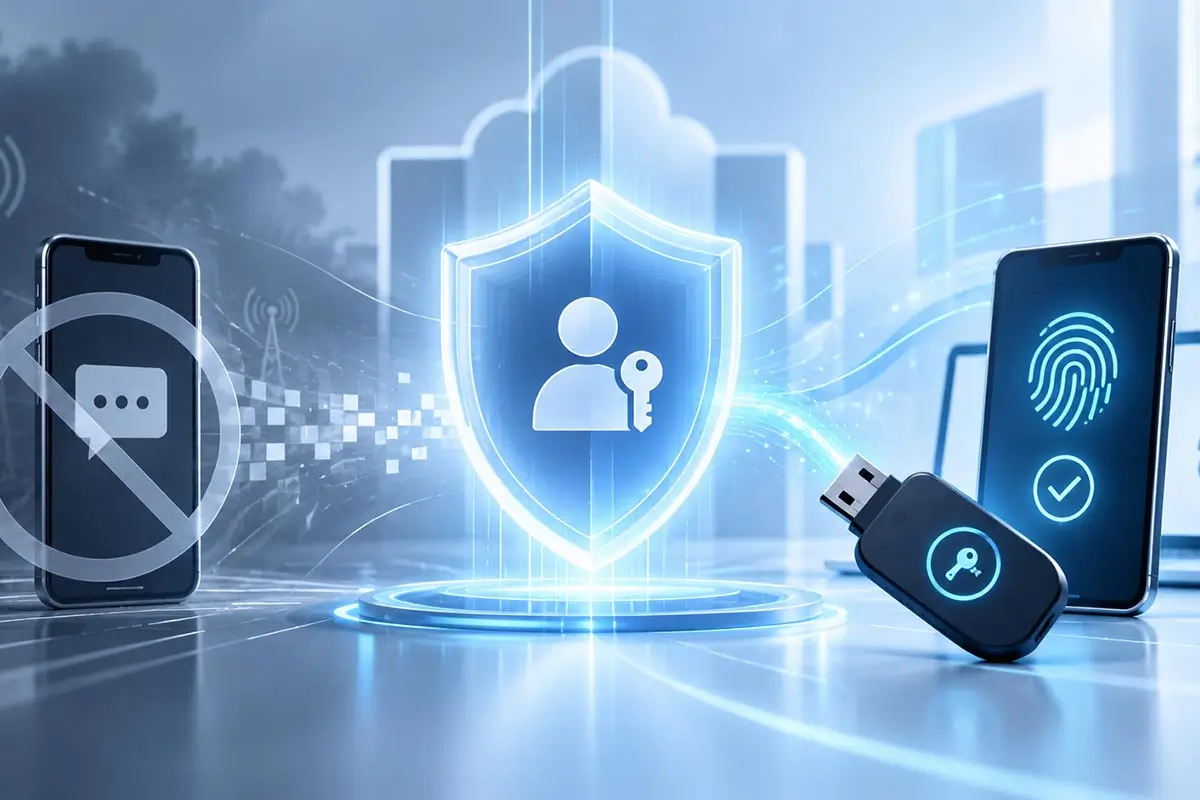
Microsoft Entra Is Moving to Passkeys: What Changes for SMS Authentication in 2027
Only a few years ago, an SMS code was widely considered an acceptable second authentication factor. A password could be stolen, but an attacker would still need the one-time code sent to the user’s phone.
Today, that level of protection is no longer enough.
Microsoft has announced a major change to authentication in Microsoft Entra ID. Starting September 1, 2026, Passkeys become the default direction for authentication, and users currently enabled for SMS or voice authentication are automatically brought into the Passkey migration flow.
The next date is even more important: from February 1, 2027, Microsoft will retire its own SMS and voice delivery for authentication in Entra ID.
Passkeys by Default
Entra ID users currently enabled for SMS or voice are automatically brought into the Passkey registration and migration process.
SMS Changes Its Role
Microsoft is retiring its own SMS and voice delivery as a native authentication channel in Entra ID.
Phishing-Resistant Sign-In
The recommended direction is Passkeys, Windows Hello, and FIDO2 — methods built around cryptography rather than reusable or transferable secrets.
This is not simply a change from one way of receiving a one-time code to another. One of the world’s largest providers of enterprise identity infrastructure is effectively acknowledging that phone-based authentication methods no longer provide the level of protection expected against modern threats.
Instead, Microsoft is directing organizations toward phishing-resistant authentication based on Passkeys, Windows Hello, and FIDO2.
Microsoft describes the changes, migration timeline, and recommendations for organizations in
Passkeys by default and retirement of Microsoft-provided SMS and voice authentication
.
What Exactly Is Microsoft Changing?
The transition is being introduced gradually.
The first major stage began on September 1, 2026.
For Microsoft Entra ID users who are enabled for SMS or voice authentication, Passkeys are automatically enabled in the Authentication Methods Policy. Microsoft also moves the Registration Campaign into a Microsoft-managed state so that users are encouraged to register a Passkey after completing MFA sign-in.
For now, users can postpone that registration prompt.
But this is only a transition period.
The second major stage begins on February 1, 2027.
From that date, Microsoft will no longer provide its own telecommunications delivery for SMS and voice authentication in Microsoft Entra ID.
If SMS or voice remains a user’s only available MFA method and the organization has not configured a customer-managed telecom provider, that user will receive a mandatory Passkey registration prompt during sign-in.
The prompt can no longer be skipped.
September 1, 2026
Users enabled for SMS or voice are automatically enabled for Passkeys in the Authentication Methods Policy and are nudged to register a Passkey after MFA sign-in.
September 18, 2026
Microsoft plans to make information about customer-managed telecom providers available through the Microsoft Security Store for organizations that still require SMS or voice.
October 30, 2026
Organizations that need to retain SMS or voice authentication can begin selecting and configuring a telecom provider through the Microsoft Security Store.
February 1, 2027
Microsoft-provided SMS and voice are fully retired in Entra ID. Users who have not moved to another supported authentication method may be required to register a Passkey before they can continue signing in.
Does This Mean Microsoft Is Completely Banning SMS?
No. It is important not to oversimplify the announcement into “Microsoft is disabling SMS codes.”
Microsoft is retiring its own native SMS and voice delivery inside Entra ID.
Organizations that still need SMS or voice authentication for regulatory, technical, or operational reasons will be able to use a telecommunications provider available through the Microsoft Security Store.
That becomes a separate service with its own telecom costs and provider terms.
Microsoft nevertheless recommends that most organizations use the transition period to migrate users toward Passkeys and other phishing-resistant authentication methods rather than build new authentication processes around SMS.
So SMS does not disappear as a technology.
Its role changes: from a normal enterprise MFA method, it gradually becomes an exception for specific use cases.
“SMS and voice are among the most vulnerable authentication methods available today.”
— Microsoft,
FAQ for Microsoft-provided SMS and voice retirement
Why Is Microsoft Moving Away from SMS?
The problem is not that SMS suddenly became unsafe in 2026.
Its weaknesses have been known for years.
- SIM swapping;
- social engineering;
- message interception or redirection;
- compromised mobile devices;
- the ability to enter a legitimate OTP code into a phishing website.
The last scenario is especially important.
Modern phishing proxy attacks can operate in real time:
An employee enters a password. Then the user receives a genuine one-time code and enters it into a page that may look almost identical to Microsoft 365 or another corporate service.
The attacker immediately relays the captured credentials to the legitimate service.
The second factor was present — but the attack still succeeded.
We discussed this problem in detail in
Why SMS Codes Are No Longer Enough to Protect Business Accounts
. Microsoft’s decision now provides a practical confirmation of the same security trend at the level of a major enterprise identity platform.
How Is a Passkey Fundamentally Different from an SMS Code?
The difference is not simply that the user taps a button or uses a fingerprint instead of entering six digits.
The authentication model itself changes.
An SMS OTP is a temporary secret that the user receives and then submits back to the system.
A Passkey is based on public-key cryptography.
When the credential is created, a cryptographic key pair is generated:
- the public key is registered with the service;
- the private key remains on the user’s device or hardware authenticator.
During sign-in, the private key is not transmitted to the server. It is used locally to cryptographically approve a challenge from the legitimate service.
This is what makes FIDO2 and Passkeys resistant to common phishing attacks.
A fake website cannot simply ask the user to “enter the private key” in the same way it can ask for a password or a six-digit OTP.
We explain how Passkeys, FIDO2, and public-key authentication work in more detail in
Passwordless Authentication: Why Businesses Are Moving Away from Passwords
.
From “Second Factor” to Phishing-Resistant Authentication
There is another important aspect of Microsoft’s decision.
For a long time, the main security question was the number of authentication factors.
Password — weak.
Password + SMS — better.
Password + TOTP — stronger.
But modern attacks have shown that having two factors does not automatically make an authentication process phishing-resistant.
The focus is therefore shifting from:
to a more important question:
“Can those factors be handed to an attacker through phishing?”
Passkeys and hardware FIDO2 authenticators were designed specifically to reduce that risk.
Microsoft describes Passkeys as the default phishing-resistant credential for Entra ID and recommends moving users toward phishing-resistant methods before Microsoft-managed SMS and voice are retired.
The broader principle of combining independent authentication factors is also explained in our article
Multi-Factor Authentication (MFA) and Two-Factor Authentication (2FA) for Business
.
What Will Change for Companies Using Microsoft 365?
For an ordinary employee, the change may not feel dramatic.
Instead of receiving an SMS code, the user will register a Passkey once and then confirm future sign-ins using a device, PIN, biometric verification, or hardware security key.
For IT teams, the transition is more complex.
Organizations should determine:
- which users still rely on SMS or voice MFA;
- whether corporate devices support Passkeys;
- which employee groups should use hardware FIDO2 security keys;
- how backup access will work;
- what happens when a device is lost or replaced;
- how account recovery will be handled;
- whether any systems still require SMS for regulatory or operational reasons.
Microsoft specifically recommends identifying active SMS and voice users in the tenant before planning the migration.
Corporate email deserves particular attention because email accounts are often used for password recovery, login confirmations, and access to other business services. We discuss this separately in
MFA for Email: How to Protect Corporate Email from Account Takeover
.
Does Every User Need a Passkey on a Phone?
No.
The term Passkey does not mean that a corporate credential must necessarily be stored on a smartphone.
For personal use, synced Passkeys are highly convenient because credentials can be available across several trusted devices.
In an enterprise environment, however, another principle often becomes more important — control over the authenticator itself.
In such cases, a Passkey or FIDO2 credential can be stored on a hardware security key or smart card.
This gives the organization control over the entire lifecycle of the credential:
For administrators, DevOps engineers, executives, finance teams, and other privileged users, a hardware-backed approach may provide the clearest and most controlled security model.
Hardware authenticators and their enterprise use cases are described in more detail in
Hardware Security Tokens for Electronic Signatures and FIDO2 Authentication
.
What Happens on February 1, 2027 If an Organization Does Nothing?
Microsoft specifically clarifies that users should not simply be locked out without a migration path.
If SMS or voice remains a user’s only MFA method and the tenant has not configured a customer-managed telecom provider, the user will be required to register a Passkey during sign-in.
Until registration is completed, the user will not be able to continue accessing the account.
At that stage, the registration prompt can no longer be postponed.
For a small company, there is still enough time to prepare.
For a large organization with thousands of employees, legacy infrastructure, external users, and complex recovery processes, the migration should not be left until the final weeks.
Passwordless Is No Longer an Experiment
Until recently, Passwordless Authentication could still be viewed as a promising technology worth testing primarily for high-risk accounts.
Microsoft’s decision changes that context.
When one of the world’s largest enterprise identity providers stops treating native SMS as an adequate default authentication channel and begins moving users toward Passkeys by default, Passwordless is no longer merely an experimental security concept.
It is becoming part of the baseline authentication model.
Passwords and SMS will not disappear overnight. Legacy systems will continue to require transitional solutions for years.
But the direction is increasingly clear:
From Passwords to Passwordless
Microsoft’s decision illustrates the broader evolution of corporate authentication: each new stage reduces dependence on secrets that users can accidentally disclose to attackers.
Password
One reusable shared secret.
Password + SMS
A second authentication factor is added.
MFA
Several independent methods can verify the user’s identity.
FIDO2
Cryptographic authentication resistant to phishing.
Passkey
A traditional password is no longer required.
Passwordless
Digital identity without a traditional password.
What Should Businesses Do Now?
There is still time before February 1, 2027, so organizations do not need to disable every existing authentication method immediately.
A controlled migration is a better approach.
Identify SMS and Voice Users
Review the Entra tenant and determine which users still depend on phone-based authentication as their primary or only MFA method.
Prioritize High-Risk Groups
Focus first on administrators, executives, finance teams, DevOps engineers, remote employees, and users with access to sensitive systems.
Select the Appropriate Passkey Type
Determine where Windows Hello, Microsoft Authenticator, or synced Passkeys are sufficient and where a controlled hardware FIDO2 security key is more appropriate.
Design Account Recovery
Define procedures for lost, replaced, or blocked devices in advance so that stronger authentication does not create a new risk of losing access to business systems.
Roll Out Gradually
Test the new authentication model with a limited pilot group first, resolve operational issues, and only then expand it across the organization.
Conclusion
Microsoft’s decision to retire its own SMS and voice authentication delivery in Microsoft Entra ID is an important signal for the entire enterprise cybersecurity market.
SMS itself will not stop working as a technology on February 1, 2027. But it is no longer a method that Microsoft is willing to position as the normal native path for protecting enterprise sign-in.
It is being replaced by authentication methods built not around a secret that a user receives and submits, but around cryptographic verification of digital identity.
The main question for businesses is therefore changing.
is becoming a less useful question than:
“Which systems and users should we migrate first?”
Passkeys & FIDO2
Planning a Move Away from SMS Authentication?
Smart Lab can assess your current authentication architecture, identify critical accounts, and help design a practical migration path toward Passkeys, FIDO2, and passwordless authentication.